The short version
- A website with no calls usually has one of two problems: not enough of the right people are finding it, or the people who find it can't quickly see why they should pick you and how to get in touch.
- Most visitors are on a phone, so check everything on yours, not on a computer.
- Your phone number, what you do and where you work should all be visible without scrolling.
- Reviews and real photos do a lot of the convincing. Stock photos and an old copyright date undo it.
I'll go through the checks in the order a customer meets them: finding you, landing on the site, deciding to trust you, then getting in touch. Work down the list and stop at the first one you fail. That's usually where most of your lost calls are going.
1. Can people actually find it?
A website can't bring in calls if nobody sees it. Before changing anything on the site itself, check whether the right people are getting there.
How to check: on your phone, search for your main service and your town, like "MOT Bletchley" or "cleaner Aylesbury". Look at the map results and the first page underneath. Then search your business name. If you only appear when people type your name, Google isn't showing you to new customers yet.
For most local businesses, the map results under a search come from your Google Business Profile, and that profile is often where people tap through to your website. Google says it picks who to show on three things: how well you match the search, how far you are from the person searching, and how well known you are, which includes your reviews (Google).
The fix: make sure your profile is complete and links to your website, and that the site and the profile say the same things. My guide on how to get more clients from Google covers this step by step.
2. Does it work properly on a phone?
Most people visiting your website are holding a phone. In September 2026, 54% of web traffic in the UK came from mobiles, against 42% from computers (Statcounter). For local trades, where people search when something has just gone wrong, it's often more.
How to check: open your website on your own phone, ideally on 4G rather than Wi-Fi. Can you read the text without zooming? Can you tap the buttons without hitting the wrong one? Does anything spill off the side of the screen?
A lot of older websites were built for computer screens. On a phone, they shrink to a tiny version of the desktop site, and people leave rather than pinch and zoom.
The fix: if the site doesn't adapt to a phone at all, it usually needs rebuilding rather than patching. If it mostly works, fix the worst pages first, starting with your homepage and contact page.
3. Is it quick to load?
Slow websites lose people before they've seen anything. Google's own measure for this is how long the main part of the page takes to appear. Under 2.5 seconds is good, and over 4 seconds is poor (web.dev).
How to check: put your web address into PageSpeed Insights, which is free and made by Google, and look at the mobile result. The headline score matters less than the colours: red means real visitors are waiting too long.
The usual culprits are huge photos straight off a phone, too many plugins and page builders, and cheap shared hosting. A lot of the websites I rebuild load several megabytes before showing anything.
The fix: shrink and compress your images, remove plugins you don't use, and move to better hosting if the site is still slow after that.
4. Is calling you one tap away?
If someone wants to call and can't find your number in a few seconds, they'll ring the next business on the list. When people research a local business, 85% say contact details and opening hours matter (BrightLocal, 2025). In the UK, phone is still nearly as popular as email for contacting a business, at 31% against 33% (YouGov, 2025).
How to check: on your phone, open your homepage and time how long it takes to find your number. Then tap it. Does it start a call, or is it just text you have to copy?
The fix: put a tap-to-call button at the top of every page, and a bar along the bottom of the screen on phones with Call, WhatsApp and a quote button. Show your opening hours near it, so people know whether someone will pick up.
5. Does your browser say "Not secure"?
If your web address starts with http rather than https, Chrome labels the site "Not secure" and tells visitors not to enter any personal information, and if possible not to use the site at all (Google). Chrome is now rolling out a further warning that asks people before it opens an insecure site for the first time (BleepingComputer).
That was exactly the problem for MH Auto Services, a garage in Bletchley that has been fixing cars since 1986. For a business that runs on trust, the first thing new customers saw online was a warning.
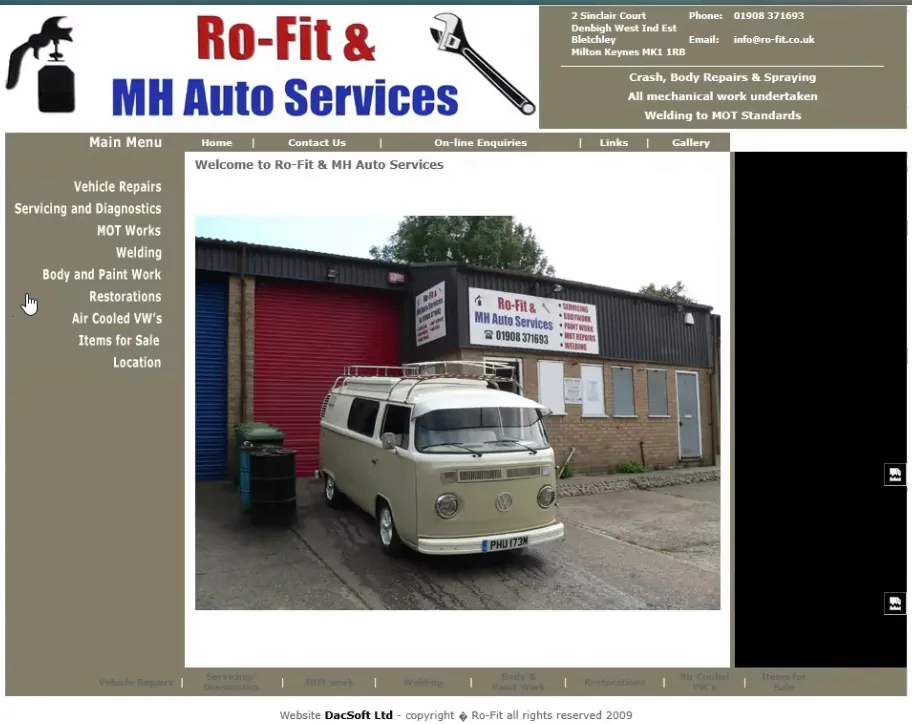
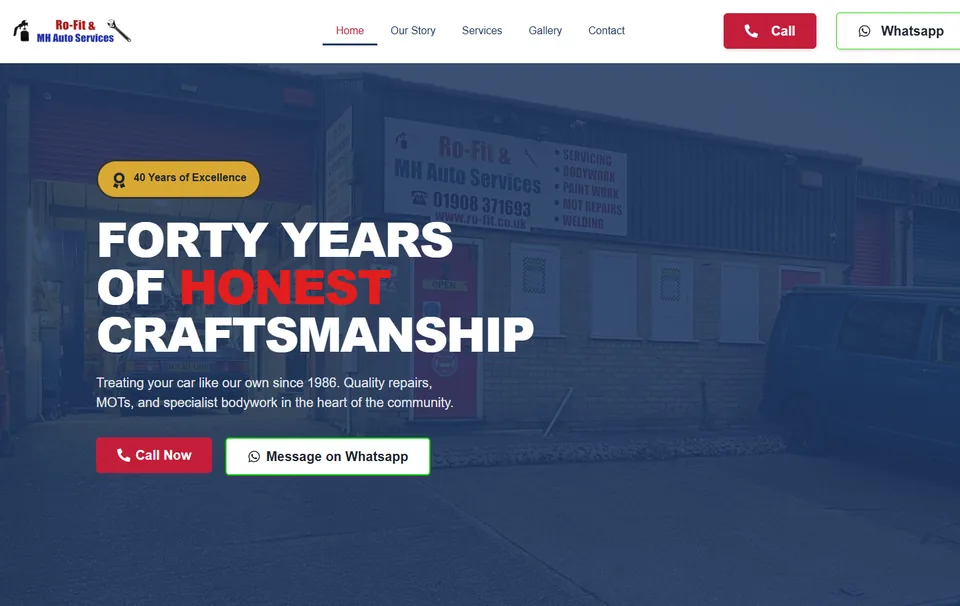
How to check: look at the address bar when your site loads. You want to see a padlock or a settings icon, not the words "Not secure".
The fix: most hosting includes a free security certificate. Ask whoever looks after your website to switch it on and make sure every page loads over https. If they can't or won't, that tells you something too. See how MH Auto's site was rebuilt.
6. Does it say what you do and where, straight away?
Someone landing on your homepage should know within a few seconds what you do, where you work and how to get in touch. Clever slogans like "Excellence in every detail" don't tell them any of that.
How to check: show your homepage to a friend on your phone for five seconds, then take it away. Ask them what you do and which area you cover. If they can't say, a stranger searching on their lunch break won't either.
The fix: make your main heading plain, like "Car garage in Bletchley, Milton Keynes" or "Cleaners in Aylesbury". It helps Google match you to searches too, because that's how people search.
7. Is there a page for each service you offer?
If all your services are one list on your homepage, Google has very little to show for a search like "cambelt replacement Milton Keynes" or "lip filler Leighton Buzzard". In the 2026 survey of local search experts, having a dedicated page for each service ranked as the most important factor for showing up in normal local results (Whitespark).
DA Aesthetics, a nurse-led clinic in Wing, had every treatment as a ticked list on its homepage. Each one now has its own page covering what it is, recovery, results and the questions people ask before booking.
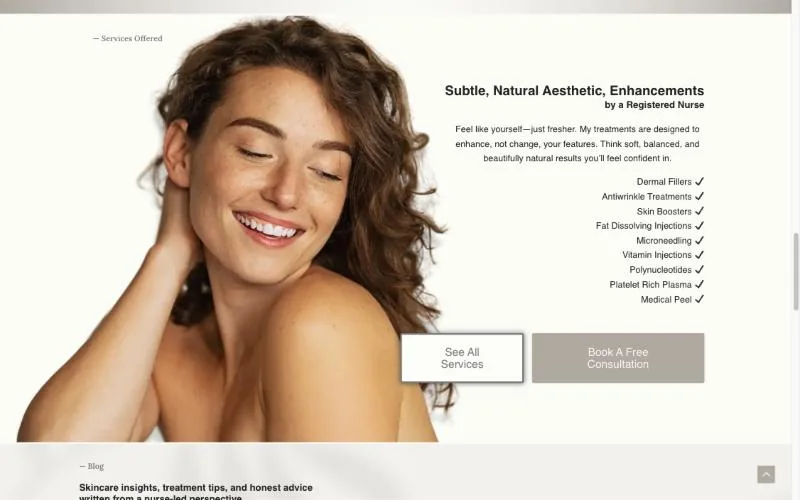
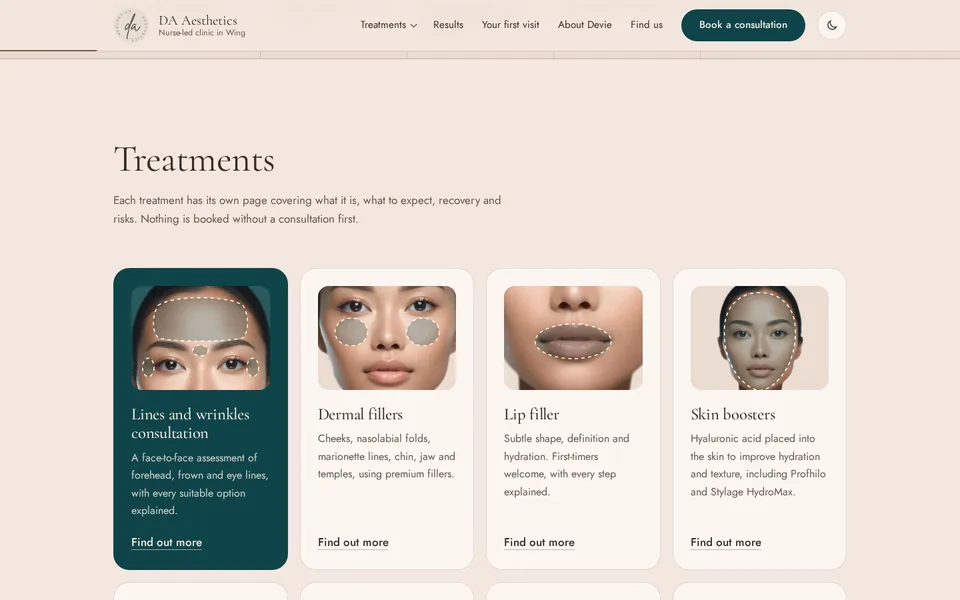
The fix: give your main services a page each, written for the person searching for that job. Start with the work you want more of. Read how DA Aesthetics went from one homepage to 23 pages.
8. Does it look like a business people can trust?
People check you out before they call. 97% of people read reviews when choosing a local business, 74% care about reviews from the last three months, and 68% won't use a business rated under 4 stars (BrightLocal, 2026).
How to check: does your website show real reviews, with names? Are the photos of you, your team and your actual work, or stock photos? Is the copyright date in the footer this year? Small things like an old date or a "latest news" post from 2019 make people wonder if you're still trading.
The fix: add your best recent reviews near the top of the homepage and near your contact form. Swap stock photos for your own, even phone photos of finished jobs. Then keep asking every happy customer for a Google review, so there are always recent ones.
9. Is your contact form putting people off?
Every extra question on a form is another reason to give up. In one large study, forms with 10 questions were completed 28% less often than forms with 3 (Typeform, 2023).
How to check: fill in your own form on your phone. Does it work? Does the message actually reach you? Count the questions you'd need to ask before you could quote, and remove the rest.
The fix: ask only what you need, or split it into a few short steps with tap-to-pick answers. Beth's quote form at Our Cleaning Company asks five quick questions, then she replies with a price. See Beth's site.
10. Are the calls coming in, but not getting answered?
Sometimes the website is working and the problem is what happens next. Missed calls with no voicemail, a full voicemail box, form messages landing in a spam folder and WhatsApps answered two days later all lose jobs that the website did win.
How to check: send yourself a message through your own website and see where it lands and how long it takes. Ring your number from someone else's phone at a busy time of day.
The fix: set up a short voicemail that says when you'll call back, make sure form messages reach a phone you actually check, and reply the same day where you can.
When it isn't the website
To be fair to websites, sometimes the site is fine and something else is in the way. Your Google profile might be missing or suspended. Competitors might have far more reviews. Your prices might be out of line with the area, or the work might be seasonal. A good website makes the most of the people who find you, but it can't fix every one of those on its own.
If you've worked through the list and you're still not sure, send it to me and I'll tell you honestly where I think the problem is, even if it's not something I'd fix.
A 20-minute checklist
- I show up in the map results when I search my main service and my town
- My Google profile links to my website
- My website is easy to read and use on my own phone
- The mobile result on PageSpeed Insights isn't red
- My phone number is one tap away on every page
- My address bar shows a padlock, not "Not secure"
- My homepage heading says what I do and where
- Each main service has its own page
- Real reviews and real photos are near the top
- My footer shows this year
- My contact form is short, and I've tested that it reaches me
- I've rung my own number from another phone to check
Questions people ask
How do I know if anyone is visiting my website?
Set up Google Search Console, which is free. It shows how often your site appears in Google, how many people click through and what they searched for. If people see you but don't click, look at checks 1 and 6. If they click but don't call, look at checks 2 to 10.
Do I need a new website, or can my current one be fixed?
Often it can be fixed. Things like a missing security certificate, a hidden phone number or a long form are quick to sort out. If the site doesn't work on a phone at all, or it's built on something you can't easily change, rebuilding is usually quicker and cheaper in the long run.
How long does it take to see more calls after fixing things?
Changes that make it easier to get in touch, like a tap-to-call button or a shorter form, can make a difference straight away. Changes that help Google show you to more people, like new service pages, usually take weeks to a few months to settle in.
Should I pay for Google Ads instead?
Ads can bring visitors quickly, but they land on the same website. If the site is losing people, ads just mean paying to lose them. Fix the basics first, then ads give you a much better return.
How much does it cost to fix a website?
Small fixes can take an hour or two. A full rebuild costs more. My guide to how much a website costs explains what affects the price.
Not sure which of these is costing you calls? Send me your website and I'll record you a short video showing what I'd fix first, free.
Get my free check